PHP Programming Part 1
Introduction to PHP Programming
- How does Eli describe PHP?
PHP does all the heavy lifting for the website. It allows you to interact with data and to dynamically write web pages. - Briefly compare and contrast scripted and compiled languages.
Compiled languages have to have their code written out then put through a compiler which then puts out an executable file. With scripted languages, you upload text files to a server then when the script is accessed an interpreter reads the file and on the fly creates the program and delivers it. - Briefly explain the difference between client side and server side scripting.
Client side scripting such as java script sends the entire script to the client to be run, whereas PHP a server side scripting runs on the web server and only sends back the results. - What popular website does Eli cite as an example of what you can do with PHP and MySQL? Why did Eli that that this particular site was a good example?
Eli cites craigslist as an example because it’s an incredibly useful and powerful site. - What does Eli emphasize as the 'nice' thing about scripted languages such as PHP?
The nice thing about scripted languages is that you use text files so you can always read the source file. - What is notepad++? Why would Eli recommend notepad++?
Notepad++ is a simple text editor that was recommended because it numbers the lines for you and it has an FTP plugin. - If you want to write and run PHP code, what do you need?
A web server that supports the PHP version you’re writing, and a text editor. - How does Eli describe syntax?
Eli describes syntax as how you spell the commands you are using.
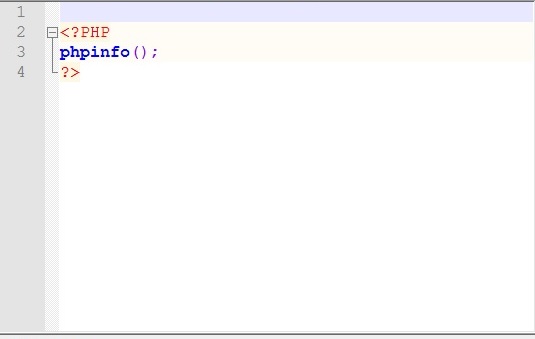
Example Program
PHP Programming Part 2
PHP Syntax and Errors
- In a Linux context, does capitalization matter?
Yes in a Linux context capitalization matters. - What are the basic attributes of PHP syntax?
<?php – opens the script
?> - closes the script
; - ends each statement
You must open and close everything. - Discuss one of the PHP error handling techniques that Eli presents.
In the video Eli demonstrated what would happen if you forgot to put a semicolon on line 2. The web server returned an error message that gave the file name and where it thought the error occurred, in this case line 2. - What is the difference between printing text and printing HTML?
HTML uses tags for formatting so if the text returned by a PHP script is split across two lines by using the \n command it would still show up on one line because there were no tags stating to display across two. - What happens if you add a PHP script to a HTML page and you don’t change the file type to .php from .html?
The script will not run.
PHP Programming Part 3
Comments and INCLUDE in PHP Programming
- What are the three ways that you can make comments in PHP?
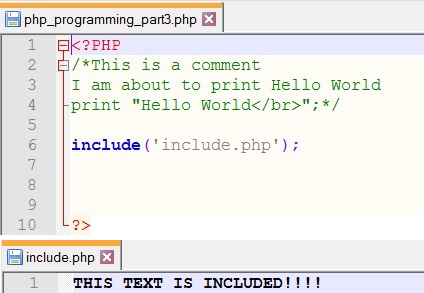
/**/ - used for multi-lined comments
// - used for single line comments
# - used for single line comments - What is the PHP include function? Why is it useful?
This function grabs all the information from another file and includes it in the current file. This keeps from having to rewrite all the information again.
Example Program
PHP Programming Part 4
Variables in Print in PHP Programming
- What are the three types of PHP variables that Eli discusses?
The three variable types that Eli discusses are string, integer, and arrays. - What naming rules apply to PHP variables?
All PHP variables start with a “$” followed by a letter or underscore. - Compare and contrast the html <br> tag in HTML and the \n in PHP.
Both do the same thing but are displayed differently. In the browser you would never know if \n was used in the code unless you looked at the source. This explains why source code may look different than what is actually displayed.
PHP Programming Part 5
HTML Forms and PHP Programming
- What does it mean when Eli says that HTML creates static pages while PHP creates dynamic pages?
HTML is hard coded so the only way to change something would be to go back and edit the code. PHP on the other hand is able to take in information and do things with it. - In this exercise, you will use an HTML Textbox, an Option Box, and a Radio Button. What function does each of these input methods provide?
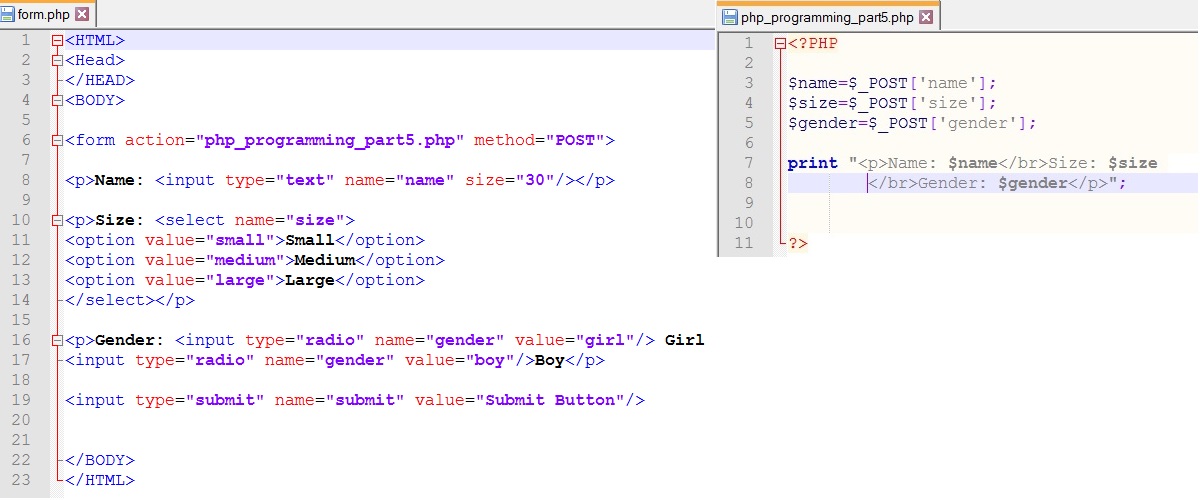
Textbox- User types in the information
Option Box- gives the user options to choose from
Radio Button- the same as the option box but the user is only allowed to choose one statement.
Example Program
PHP Programming Part 6
Printing to Files with PHP
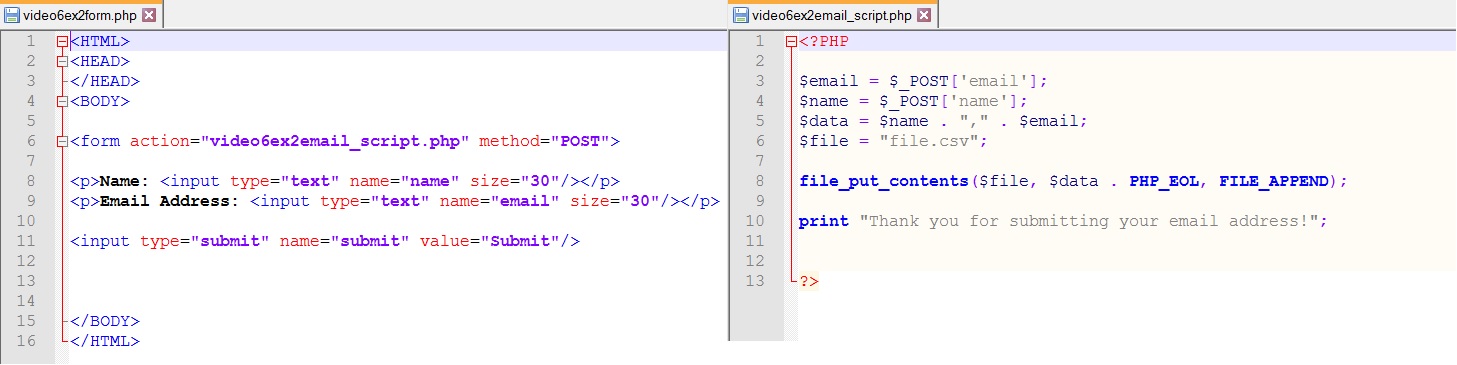
- In this example, you use the PHP file_put_contents() function. Briefly describe this function.
Hint: Consult W3Schools or the PHP manual.
This function outputs strings to a file. It starts by checking to see if there is a file by that name. If not it creates one. Then depending on options will write data to the file then closes it. - What is a CSV file? Why would you want to use one?
A CSV (Comma Separated Value) file is text that has been separated by commas that can then be read by a spreadsheet program that puts values into cells based on where the commas are.
Example Program
To download the CSV file after testing the program click the link here.